Hardware Details
An ATtiny404 microcontroller sits between your controller and the parts on the board. It answers on I2C, reads the three pushbuttons, drives the three WS2812B-2020 RGB LEDs on one data line and plays the passive buzzer through a transistor. The board has no voltage regulator: everything runs from the 3.3 V that arrives on the Qwiic connector.
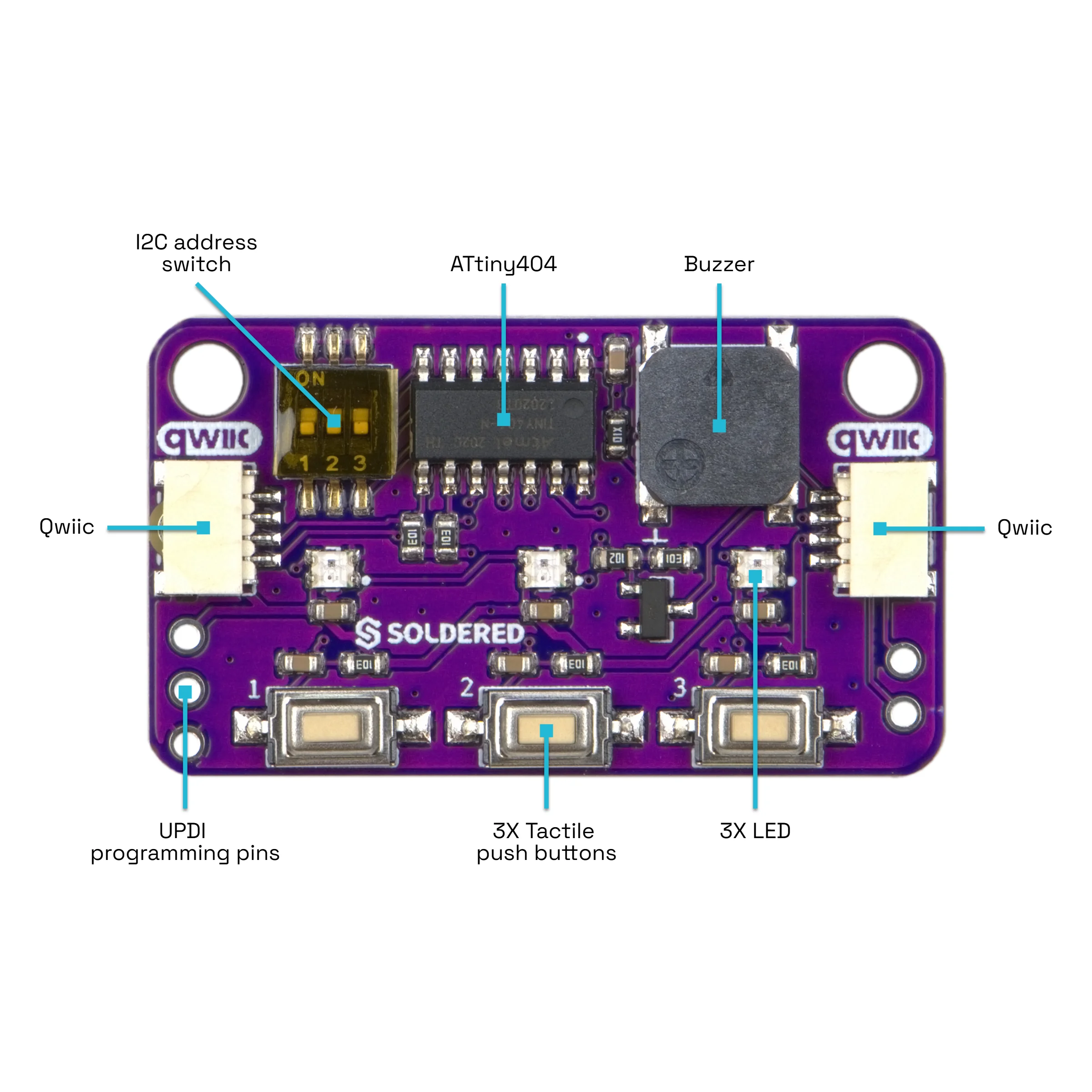
Key specifications
| Specification | Value |
|---|---|
| Interface | |
| Interface | I2C |
| Qwiic compatible | Yes |
| Default I2C address | 0x30 |
| I2C address changeable | Yes, 0x30 to 0x37 with a 3-position switch |
| I2C pull-ups | 10 kΩ to 3.3 V on SDA and SCL |
| Breadboard compatible | Yes |
| Power | |
| Supply voltage | 3.3 V, through the Qwiic connector |
| Other | |
| Microcontroller | ATtiny404 |
| LEDs | 3 × WS2812B-2020 RGB, 8 bits per colour channel |
| Buttons | 3 pushbuttons, each with a 10 kΩ pull-up and a 100 nF debounce capacitor |
| Buzzer | Passive magnetic buzzer (MLT-7525), transistor driven, frequency set in Hz |
| Connectors | 2 × Qwiic, 2-pin SDA/SCL header, UPDI header for the ATtiny404 firmware |
| Dimensions | 38 × 22 mm |
| Mounting holes | 2 × 3.2 mm |
| Header holes | 1 mm |
Pinout
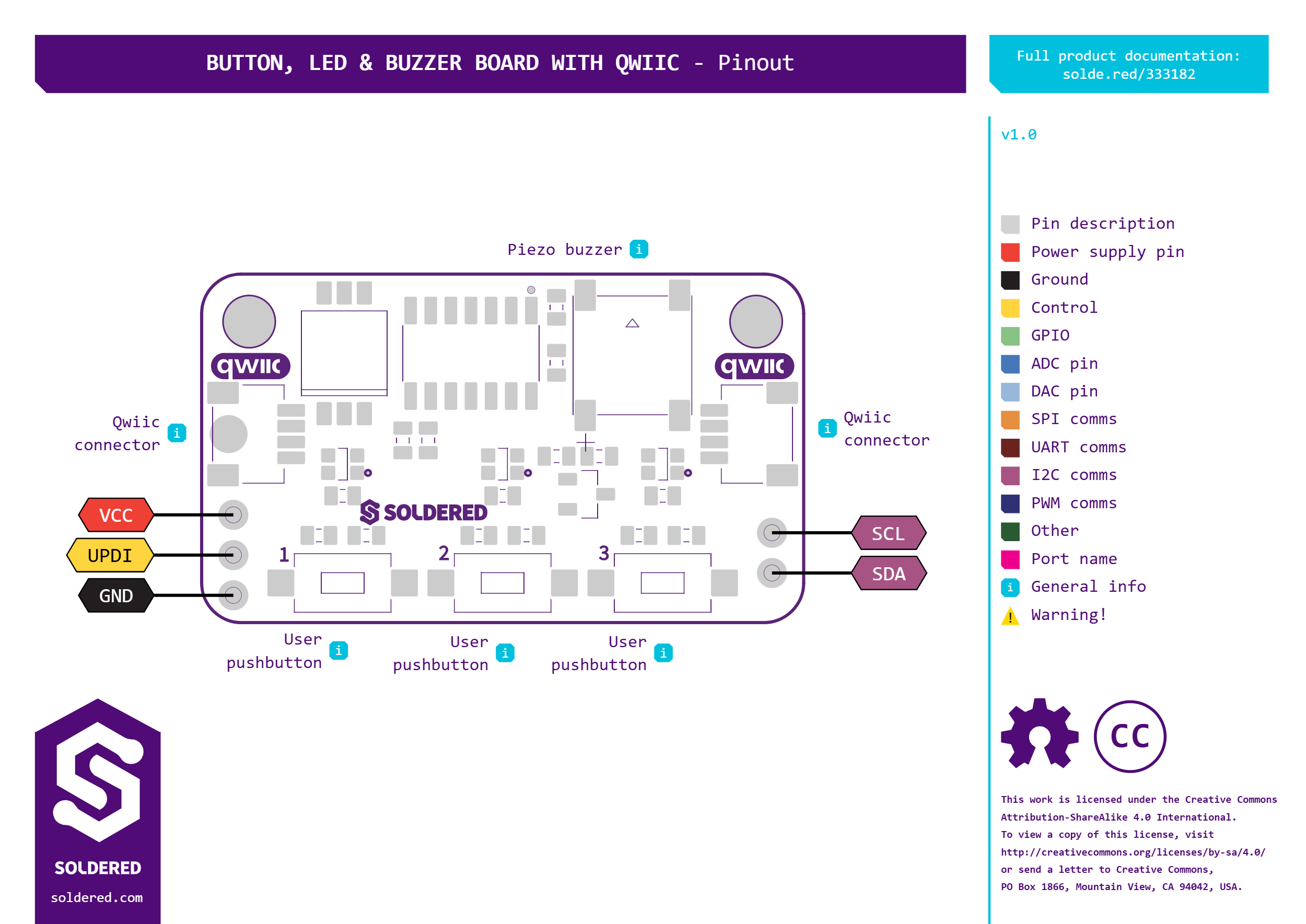
| Connector | Pins | Description |
|---|---|---|
| Qwiic (×2) | 3V3, GND, SDA, SCL | Power and I2C. The two connectors are wired in parallel: use either one, and the other passes the bus on to the next board. |
| 2-pin header | SDA, SCL | The same I2C lines on header pins, for a breadboard. It has no power or ground pin. |
| UPDI header | VCC, UPDI, GND | Programming interface of the ATtiny404, for its firmware. You do not need it to use the board. |
Voltage and logic levels
| Connection | Supported voltage | Notes |
|---|---|---|
Qwiic 3V3 | 3.3 V | The board's only supply. There is no regulator on the board. |
SDA, SCL | 3.3 V high level | Each line has a 10 kΩ pull-up to the board's 3.3 V supply, which also powers the ATtiny404. |
SDA and SCL go straight to the ATtiny404, whose pins must stay below its
supply voltage plus 0.5 V: about 3.8 V on this 3.3 V board. Do not connect the
board to a 5 V I2C controller without a level shifter.
The 2-pin header carries only SDA and SCL. When you use it, the board still
needs its 3.3 V supply through a Qwiic connector.
Dimensions
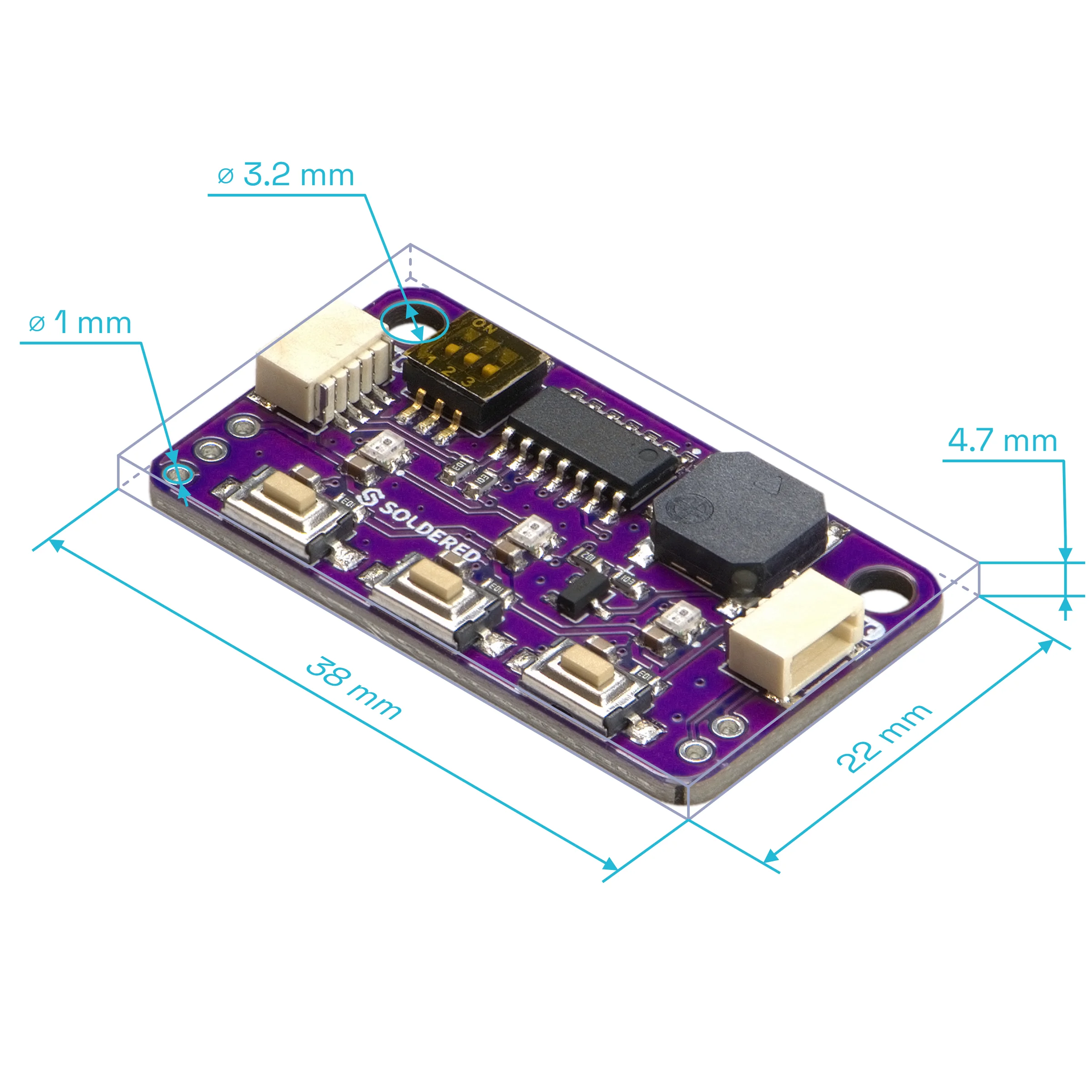
The board measures 38 × 22 mm. It has two 3.2 mm mounting holes, and the header holes are 1 mm.
Jumpers
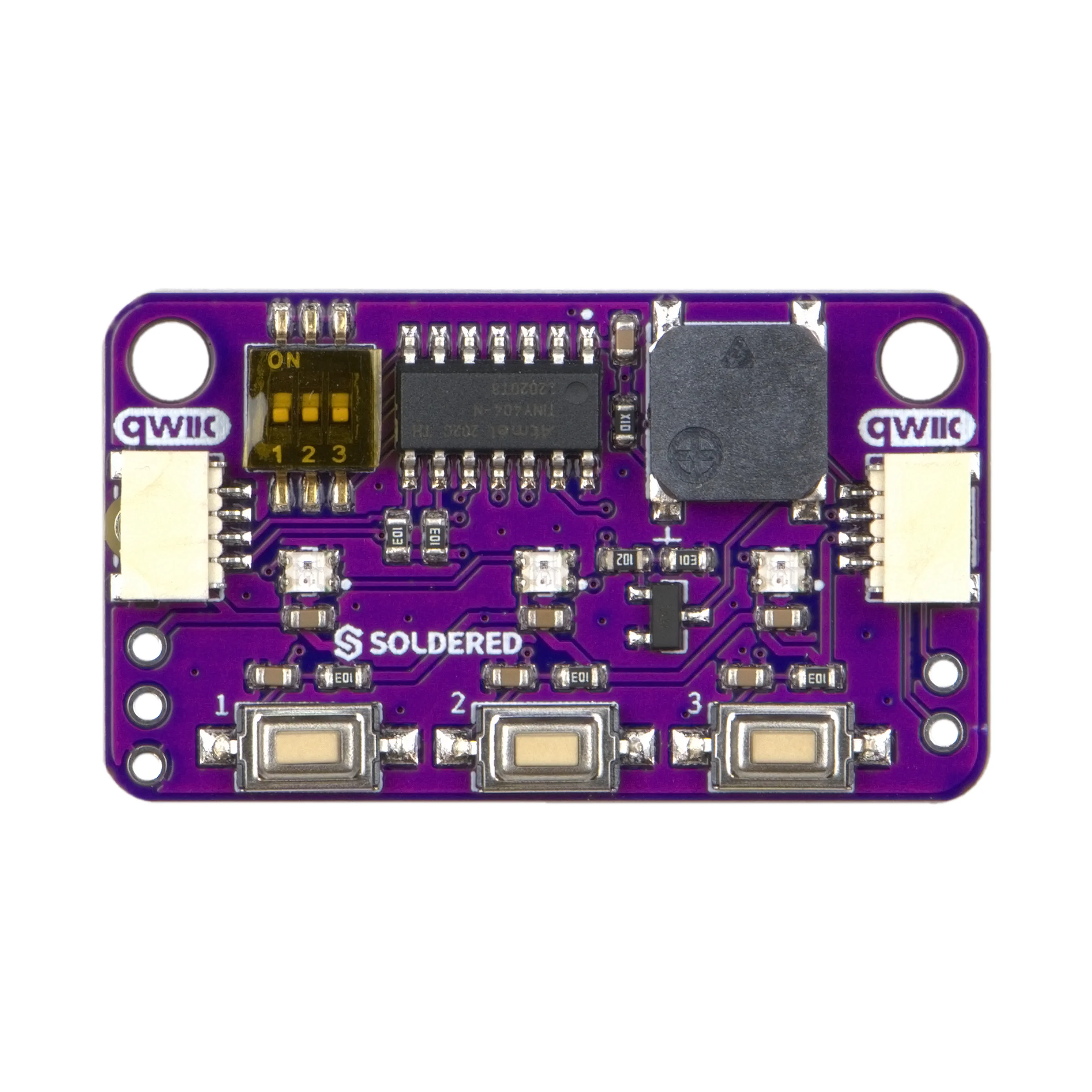
The board has no solder jumpers. Its only setting is the 3-position address switch.
| Jumper | Default | Function |
|---|---|---|
| Address switch, positions 1 to 3 | All OFF: 0x30 | Sets the I2C address from 0x30 to 0x37, so up to eight boards can share one bus. A switch set to ON adds its bit to 0x30: position 1 adds 0x01, position 2 adds 0x02, position 3 adds 0x04. |
| 1 | 2 | 3 | I2C address |
|---|---|---|---|
| OFF | OFF | OFF | 0x30 |
| ON | OFF | OFF | 0x31 |
| OFF | ON | OFF | 0x32 |
| ON | ON | OFF | 0x33 |
| OFF | OFF | ON | 0x34 |
| ON | OFF | ON | 0x35 |
| OFF | ON | ON | 0x36 |
| ON | ON | ON | 0x37 |
When you change the address, pass the new address to the constructor in your
sketch, for example ButtonLedBuzzerBoard_Soldered board(0x31); with only
switch 1 ON. The library uses 0x30 when you give it none.